
Overview
Repeating bulk messages let you set a broadcast once and have it go out automatically on a recurring schedule — daily, weekly, or monthly. This is useful for regular updates, reminders, or any message you send on a fixed cadence.Setting Up a Repeating Broadcast
1
Navigate to Bulk messages > New bulk message
Select your contacts and draft your message as you normally would. See Sending a Bulk Message for the full send flow.
2
Click Preview & Send and select Schedule repeating broadcasts
In the delivery mode screen, choose Schedule repeating broadcasts. Set the cadence: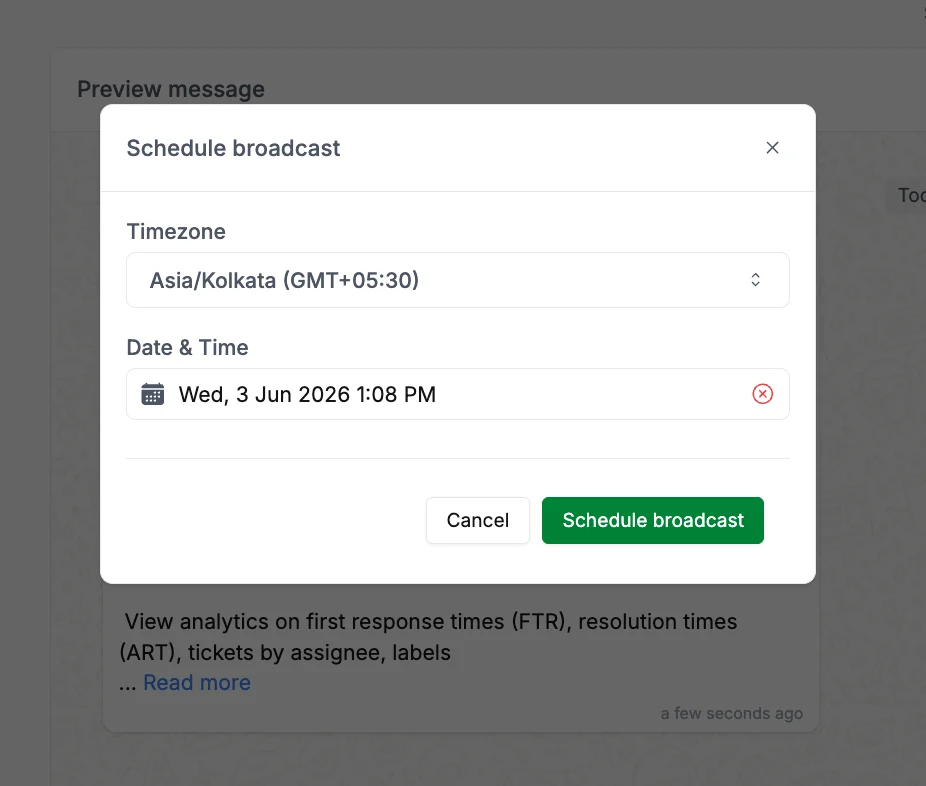
- Daily — sends every day at the specified time
- Weekly — sends on a chosen day of the week
- Monthly — sends on a chosen date each month
Schedule Repeating Broadcast
3
Confirm and let Periskope handle the rest
Once confirmed, Periskope runs the broadcast automatically at the scheduled time. You can monitor each run from the Logs screen.
Managing Repeating Broadcasts
Go toBulk messages > Scheduled messages > Repeating to see all active recurring series.
Each entry shows:
- The next scheduled run date
- The cadence (daily / weekly / monthly)
- A preview of the message
- Edit — update the message, contacts, or schedule
- Pause — temporarily stop the series without deleting it
- Resume — restart a paused series
- Delete — permanently remove the recurring series
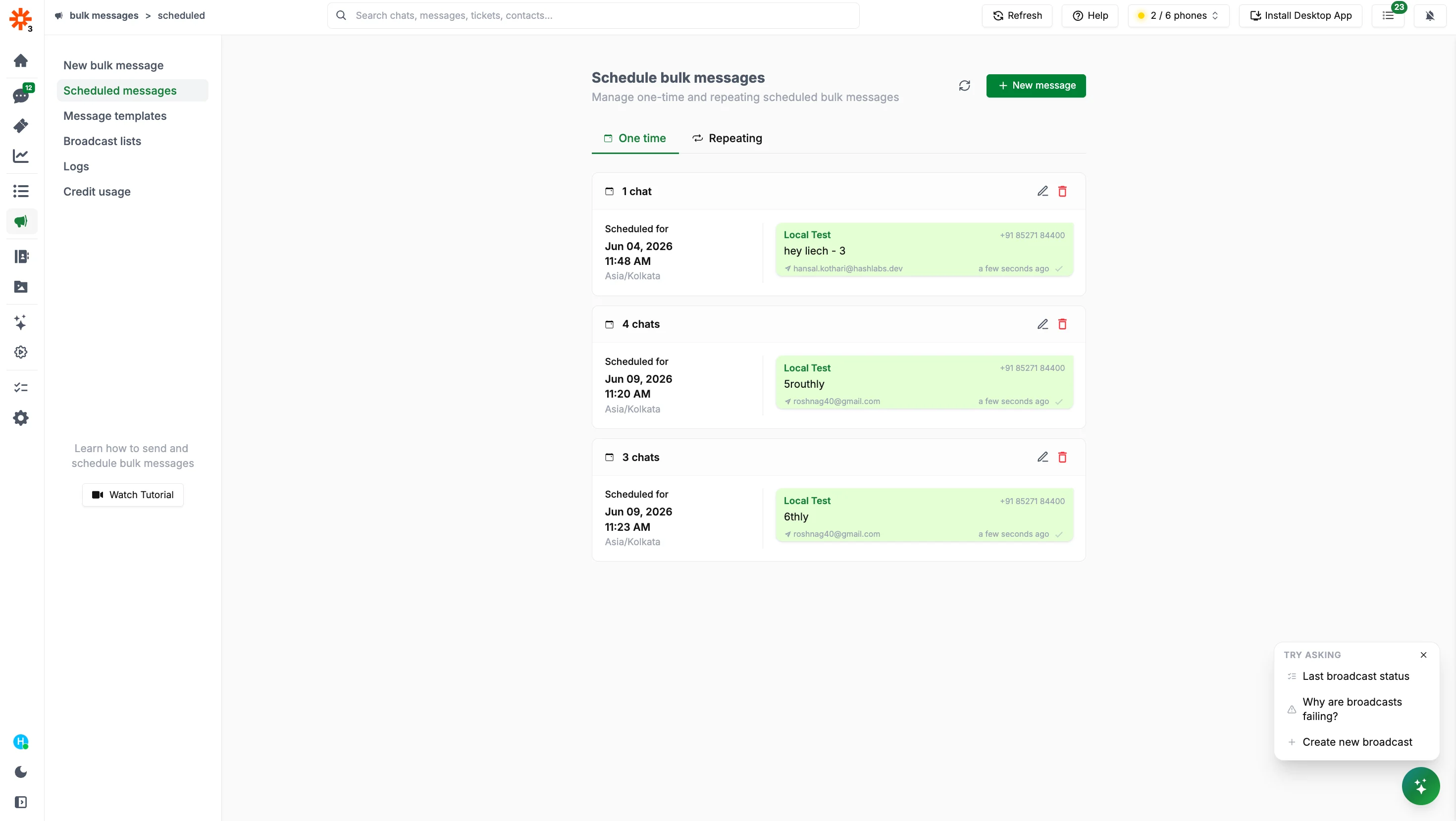
Repeating Broadcasts
Pausing a series does not affect runs that have already been sent. It only prevents future runs from going out.