
Overview
Ever needed a specific piece of data from your WhatsApp conversations and realized it’s not exactly easy to pull together when you actually need it? With Periskope’s Data Exports feature, you can access and export all that data in just a few clicks. Export chats, tickets, messages, phone numbers, chat actions, and call logs, all with detailed metadata to help you actually make sense of it later.How It Works
Data Exports is accessible from the Analytics Dashboard. Go to Analytics > Data Exports. You’ll see different export options for different data types:- Chat Exports - Complete conversation history
- Ticket Exports - Support ticket information
- Message Exports - Detailed communication data
- Phones Export - Phone number data
- Chat Actions Export - Changes and audit trails
- Call Logs Export - Audio and video call history
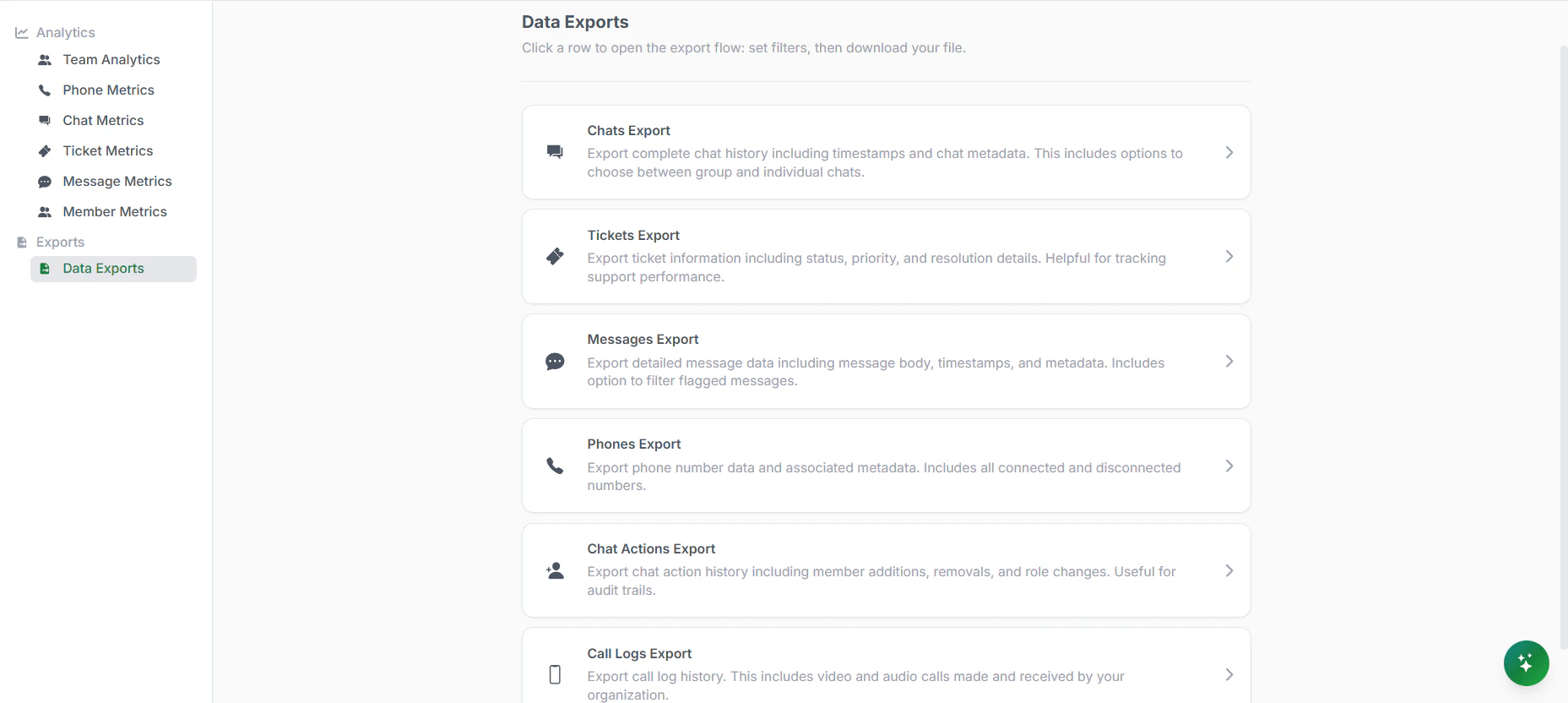
Data Exports
Chat Exports
Export complete chat history including timestamps and metadata. Use this for reviewing conversations, analyzing customer interactions, or archiving data.- Date Range: Choose how far back to go. Options: Last 24 hours, Last 7 days, Last 30 days, Custom date range, or Full history. Smaller date ranges export faster.
- Chat Type: Filter by chat type, All chats, Group chats only, One-on-one chats only. This helps you focus on what you need.
- Export Format: Choose between Simplified format (easier to read, clean layout) or Legacy format (original system format). Most users prefer simplified.
- Export Type: Download directly or receive via email. Email is useful for large exports that take time to generate.
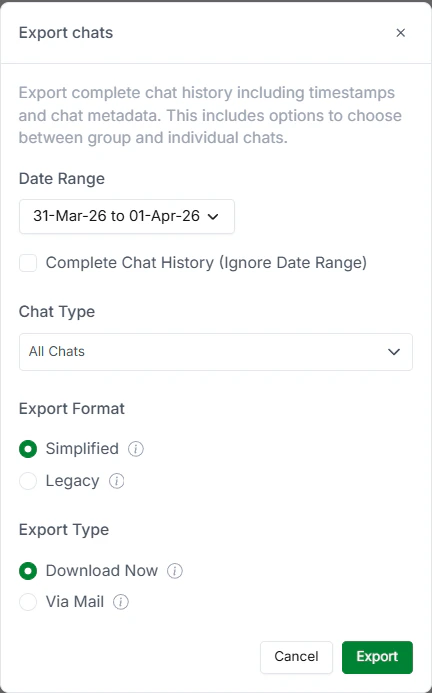
Chat Export
Ticket Exports
Export ticket information to track support performance. Useful for reporting, audits, or external analysis.- Filter by Status: Export all tickets or filter by status: Open, In Progress, Closed. This helps you analyze resolution rates or see what’s pending.
- Filter by Priority: Focus on specific priority levels: Urgent, High, Normal, Low. See how your team handles different severity levels.
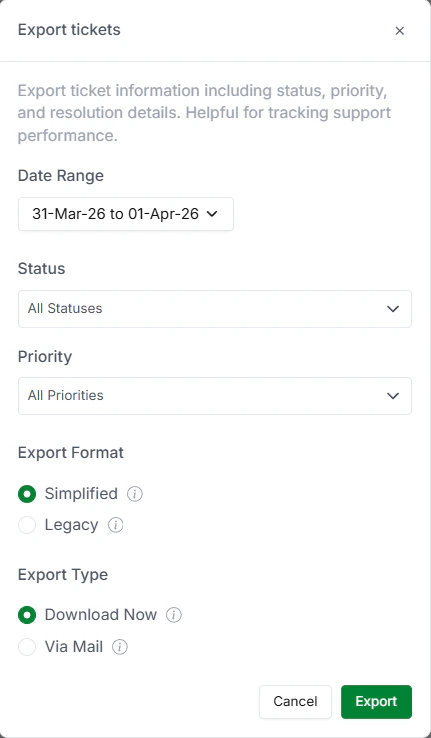
Ticket Export
Message Exports
Get granular control over message data. Export includes message body, timestamps, sender, and metadata.- Full Message Data: Export all messages with complete details. Useful for analyzing communication patterns, sentiment, or customer interactions.
- Flagged Messages Filter: Export only flagged messages. This is useful for reviewing important conversations, escalations, or messages that need follow-up.
- Deleted Messages Filter: Include deleted messages in your export. This is particularly useful for compliance, audits, or investigating sensitive situations.
Message Export
Phones Export
Export phone number data and associated metadata. Includes both active and previously disconnected numbers.- What’s Included: Phone numbers, connection status (active/disconnected), metadata, date connected, date disconnected. Useful for understanding your contact base and managing numbers.
- Use Cases: Track which numbers are active, identify dormant numbers to clean up, manage phone inventory, or perform audits of your connected numbers.
Phone Export
Chat Actions Export
Track changes within chats over time. Export history of actions taken in conversations for audit trails and team management insights.- Member Additions: Track when team members were added to chats. See who joined conversations and when.
- Member Removals: See when team members left or were removed from chats. Useful for understanding collaboration patterns.
- **Role Changes: **Track promotions, demotions, and role reassignments within chat groups. Understand how team structure evolves.
Chat Actions Export
Call Logs Export
Access your organization’s call history. Export audio and video calls with relevant details and dates. Useful for:- Audio Calls: Track all audio calls made and received. Includes caller, recipient, duration, timestamp, and call status.
- Video Calls: See all video calls with full details. Useful for understanding video communication usage and patterns.
- Call Tracking Use Cases: Monitor communication channels, analyze call patterns, track usage, or ensure compliance with communication policies.
Call Logs Export