
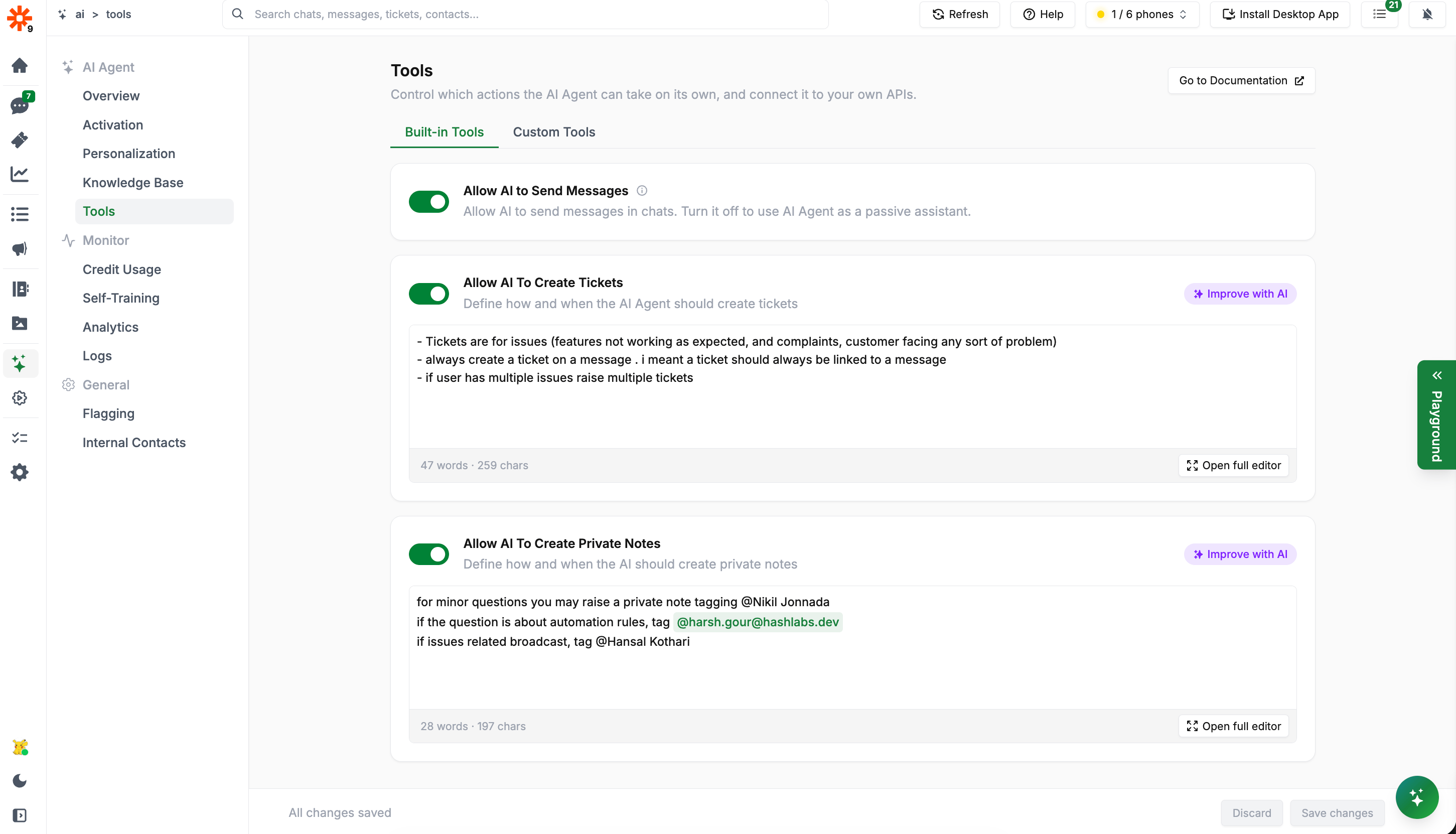
Built-in Tools
AI Training
When enabled, the AI will look for messages answered by team members in ongoing conversations and use them to train itself automatically. This feeds directly into the Self-Learned tab in the Knowledge Base. If approval is set to manual on the Self-Training page, these entries appear as pending until you approve them.Allow AI to Send Messages
Controls whether the AI Agent can send messages directly in chats.- On: The AI actively responds to customers
- Off: The AI operates as a passive assistant — it processes conversations and may create internal notes or tickets, but will not send any customer-facing messages
Allow AI to Create Tickets
When enabled, the AI can automatically create tickets based on predefined rules. You define the rules in plain language directly in the tool’s text field. The AI reads this rule when deciding whether to raise a ticket. Example rules:Allow AI to Create Private Notes
When enabled, the AI can create private notes visible only to your internal team — not to customers. Use this to have the AI:- Flag conversations that need human follow-up
- Summarize context for a team member being handed a conversation
- Tag specific team members when their attention is needed
How Tools Work Together
The AI’s built-in tools work in combination. A typical flow might be:- Customer asks about a delivery issue
- AI uses its Knowledge Base to provide an initial response
- AI determines the issue requires escalation based on your ticket rules
- AI creates a ticket and tags the relevant team member via a private note
- AI informs the customer that their issue has been escalated
Next Steps
- Custom Tools - Connect the AI to your own APIs for real-time data lookups
- Knowledge Base - Train the AI with FAQs and documents
- Personalization - Define the AI’s role and escalation behavior