
Overview
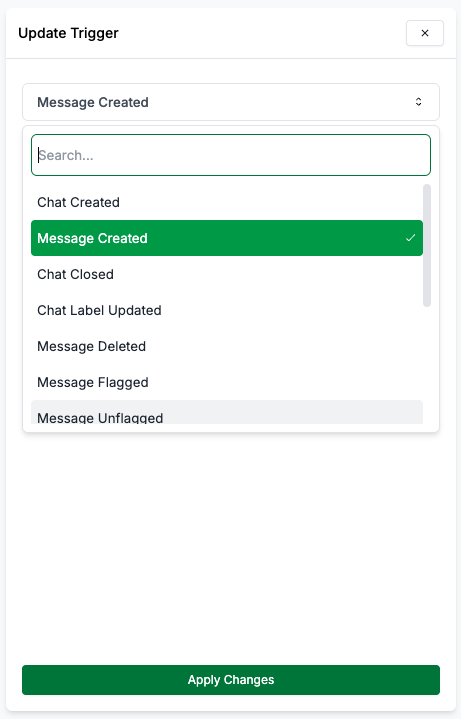
Triggers are events or notifications generated by the system or users that initiate the execution of a workflow. They act as the starting point of an automation workflow. Available Triggers:1
New Chat Created
When a new chat/ group is created.
list
The list of organization phone numbers that are allowed to trigger the
workflow.
2
Chat Label Added/Removed
When a label is added or removed from a chat.
list
The list of organization phone numbers that are allowed to trigger the
workflow.
3
New Reaction Added
When a reaction is added to a message.
list
The list of organization phone numbers that are allowed to trigger the
workflow.
4
New Message Received
When a new message is received in a chat from an external number or internal number (if enabled). You can choose to trigger the workflow when a new message is received from an
external number or internal number (if enabled).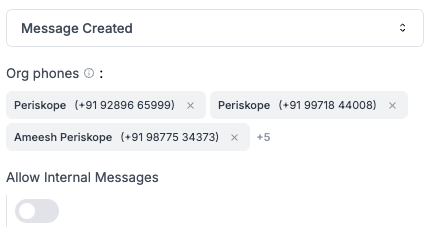
list
The list of organization phone numbers that are allowed to trigger the workflow.
boolean
Allow messages from internal numbers to trigger the workflow.
5
Message Updated
When a message is edited/ updated.
list
The list of organization phone numbers that are allowed to trigger the workflow.
6
Message Flagged
When a message is flagged by AI or manually by a user.
list
The list of organization phone numbers that are allowed to trigger the workflow.
7
Message Unlagged
When a message is unflagged by AI or manually by a user.
list
The list of organization phone numbers that are allowed to trigger the workflow.
8
Message Deleted
When a message is deleted in a chat.
list
The list of organization phone numbers that are allowed to trigger the workflow.
9
New Ticket Created
When a new ticket is created on Periskope.
10
Ticket Updated
When a ticket property is updated. For e.g. subject, status, priority, due date etc.
11
Ticket Label Added/Removed
When a label is added or removed to a ticket.
12
Ticket Closed
When a ticket is closed.
13
New Task Created
When a new task is created.
14
Task Assigned
When a task is assigned to a user.
Triggers