
Overview
As conversations scale, it’s easy for important messages to get delayed or missed, especially when they need immediate attention. With Periskope’s Automated Escalations Templates, you can automate how critical issues are surfaced and acted on. SLA breaches trigger instant notifications. Key customers get priority handling. Escalations happen automatically so nothing important gets missed.How It Works
Automated Escalations Templates are pre-built rules that surface critical issues by notifying the right people. Instead of building automation from scratch, you activate a template and customize who gets notified.- Select a template from the Automated Escalations category
- Review the pre-configured trigger and escalation action
- Optionally refine conditions to narrow what gets escalated
- Select who should receive escalation notifications
- Save and activate the rule
- Critical issues are now escalated automatically
Getting Started with Automated Escalations
Step 1: Access Automation Rules and Start from TemplateFrom your Periskope dashboard > go to Automation Rules > Click New Rule > Click Start from Template. You’ll see templates organized by category. Look for the Automated Escalations category.
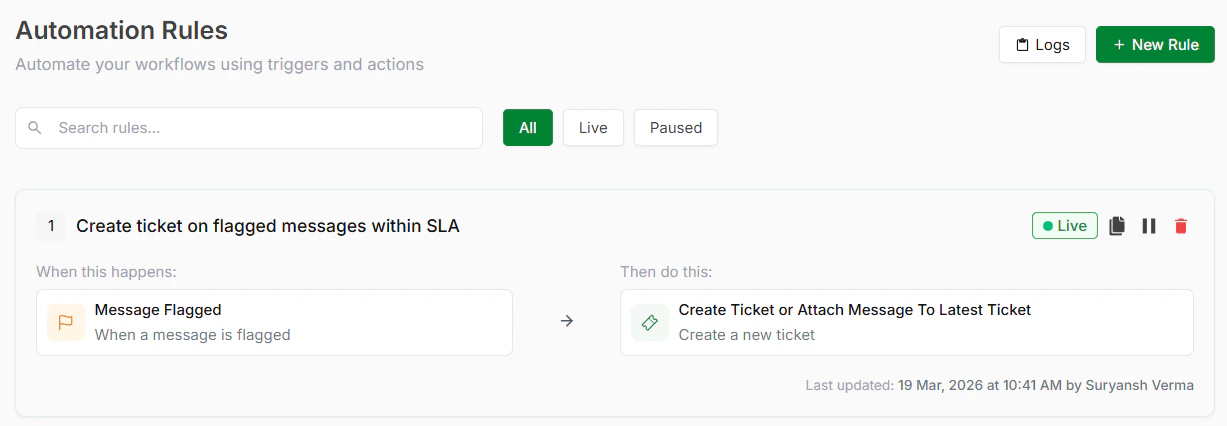
Automation Rules
Step 2: Choose a TemplateInside Automated Escalations, select the template that matches your needs. See available templates below.
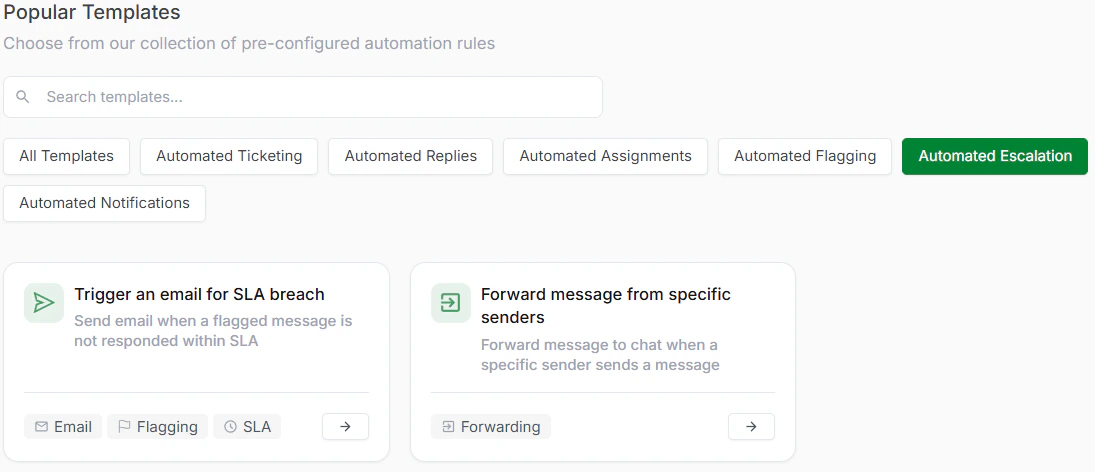
Automated Escalation Templates
Step 3: Review and Optionally CustomizeEach template comes with a trigger and action already configured. Review these to understand how the escalation will work and what conditions will activate it.
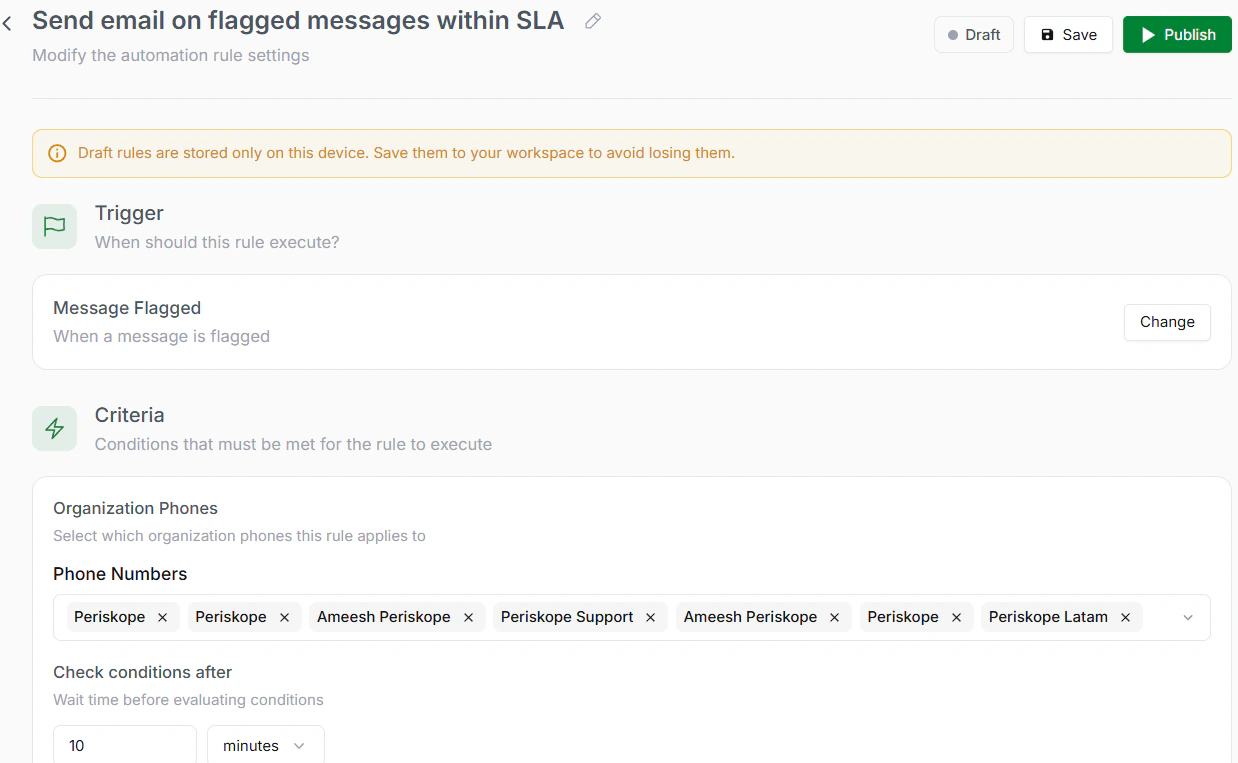
Review the rule
Step 4: Select Escalation RecipientsChoose who should receive escalation notifications. These could be team leads, managers, or specific departments. Multiple recipients can be notified.
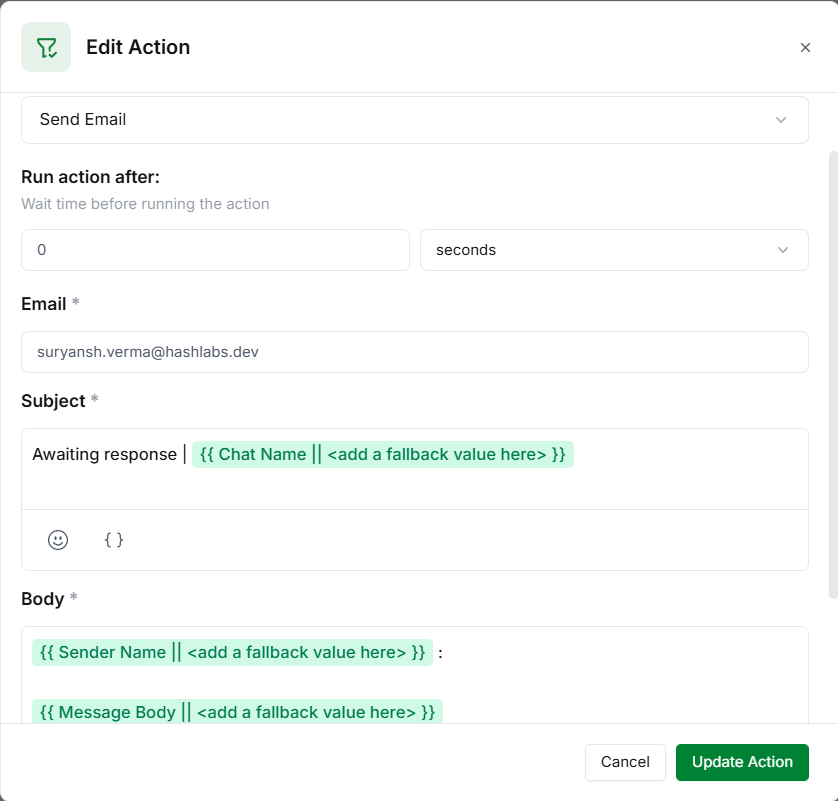
Select Escalation Recipients
Step 5: Save and ActivateClick Save to store your rule. Click Activate to turn it live. Critical issues are now escalated automatically.
Available Automated Escalations Templates
- Trigger an Email for SLA Breach
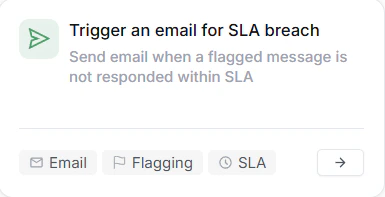
Trigger an email
- Forward Message from Specific Senders
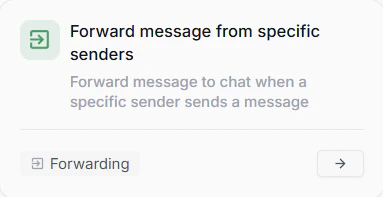
Forward message