
Documentation Index
Fetch the complete documentation index at: https://docs.periskope.app/llms.txt
Use this file to discover all available pages before exploring further.
Introduction
Learn how to scale your team on WhatsApp without compromising your private data or revealing customer phone numbers.
Overview
Traditionally, giving team members access meant revealing the phone number and giving them the power to take contacts with them. Periskope allows you to keep your business number and contact details completely hidden from agents and contractors while they manage your chats.Step-by-Step Setup
Follow these steps to invite team members and secure your database.Step 1: Invite with Restricted Roles
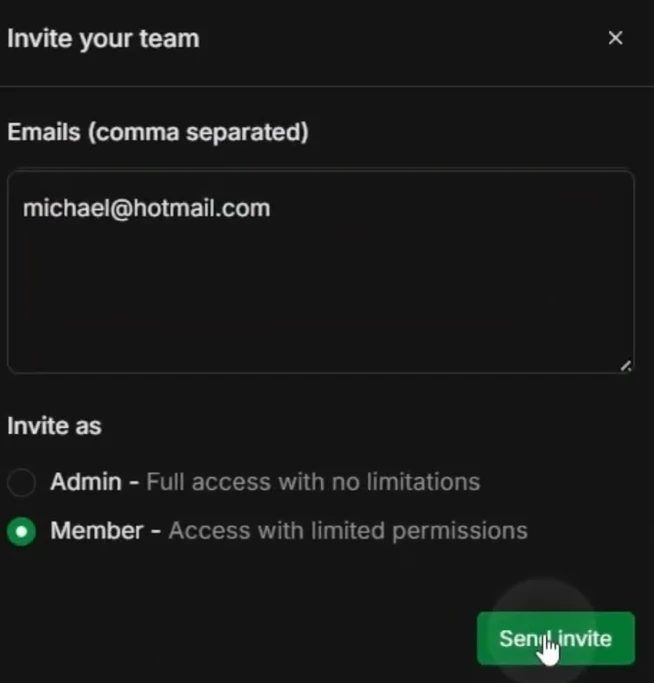
The first step in protecting your data is choosing the right role for your team member.- Go to Settings → Team.
- Click Invite Team and enter the email address.
- Crucial Step: Select Member under the “Invite as” option.
- Unlike Admins, Members can only see the specific chats you allow, keeping your entire dashboard private.
-
Step 2: Define Access via Labels
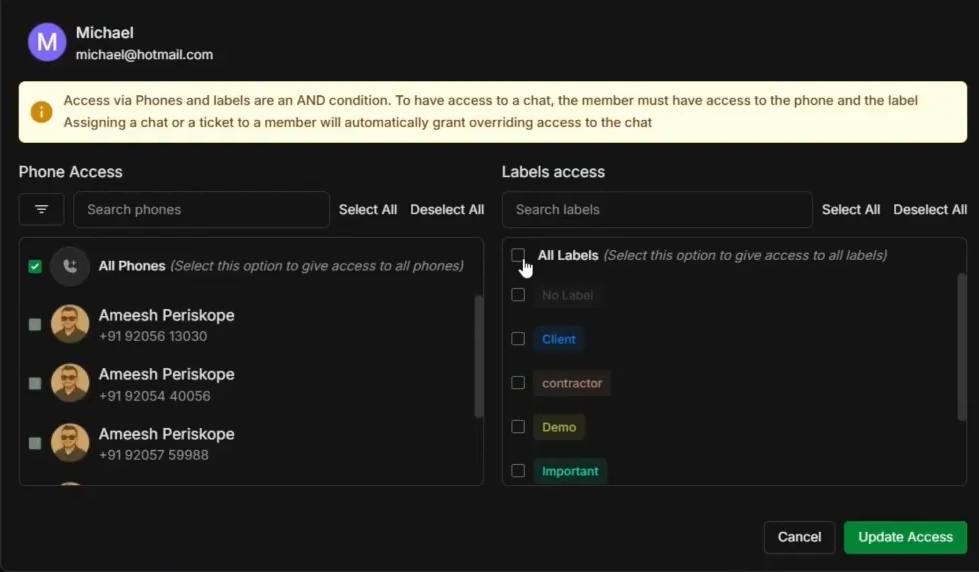
Instead of giving access to the entire inbox, use labels to filter what they see.- Use the Access to Chats dropdown.
- Select a specific label (e.g., “Contractor” or “Support”).
- The agent’s inbox will stay empty until you apply that specific label to a chat.
-
Step 3: Enable Number Masking
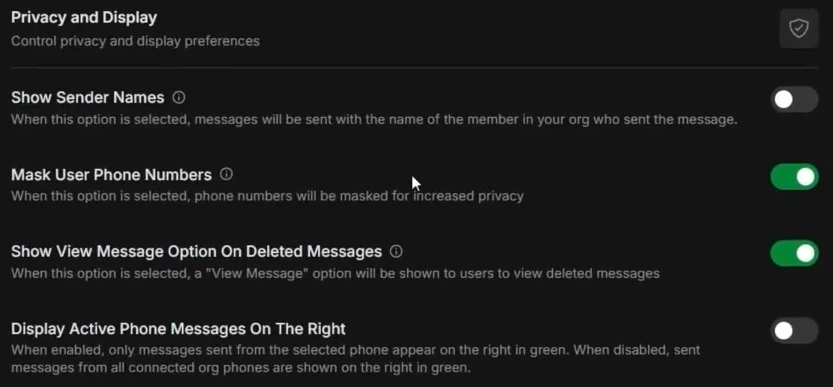
This ensures that while the agent can see names and history, they cannot see the actual phone digits.- Go to Config and scroll to Privacy and Display.
- Ensure the Masking Toggles are active.
- The actual phone digits will remain invisible to the agent, protecting your client database.
-
Why Use Number Masking?
- Protect Your Database: Prevent agents or external help from taking your contacts with them.
- Professional Branding: Customers receive a consistent experience while you maintain absolute control.
- Workflow Efficiency: When a lead needs attention, simply apply the label, and it pops up on the agent’s screen instantly—fully masked and ready for action.