> ## Documentation Index
> Fetch the complete documentation index at: https://docs.periskope.app/llms.txt
> Use this file to discover all available pages before exploring further.

# Set Reminders for Tasks

> Guide to add reminders to a task on Periskope

This feature allows user to add reminders in order to receive timely reminders to improve productivity and response efficiency.

## How to add a reminder?

### Adding a reminder

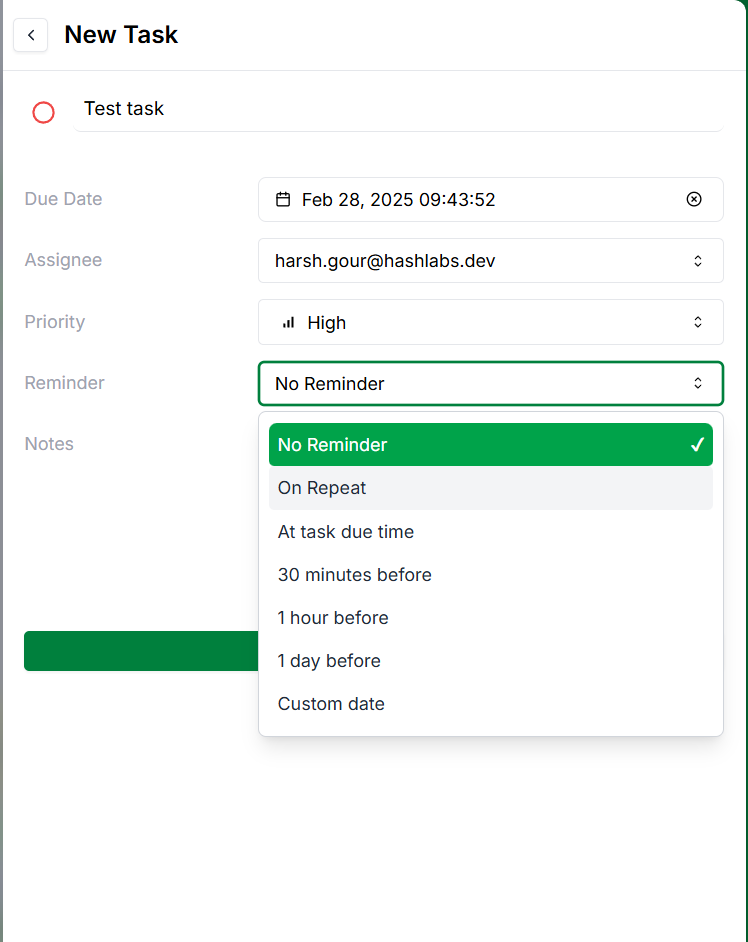
<p>While creating a task you can choose to add a reminder on following options:</p>

1. No reminder
2. Due date
3. before due date - `You can setup reminders for \<x\> minutes, hours, days, weeks before due date`
4. Custom date
5. Repeat reminders

<Frame caption="Create message task">
  <img src="https://mintcdn.com/bharatkumarramesh/ojqTTF6tJm2hqshH/tasks-and-reminders/tasks/add-a-reminder.png?fit=max&auto=format&n=ojqTTF6tJm2hqshH&q=85&s=a0bf7a6601a70a9df04926617834c459" alt="create-message-task" width="50%" className="block border rounded-xl shadow" data-path="tasks-and-reminders/tasks/add-a-reminder.png" />
</Frame>

#### How to setup repeat reminder?

<p>You can choose to set repeat reminders for following options:</p>

1. No repeat
2. Daily
3. Weekly
4. Monthly
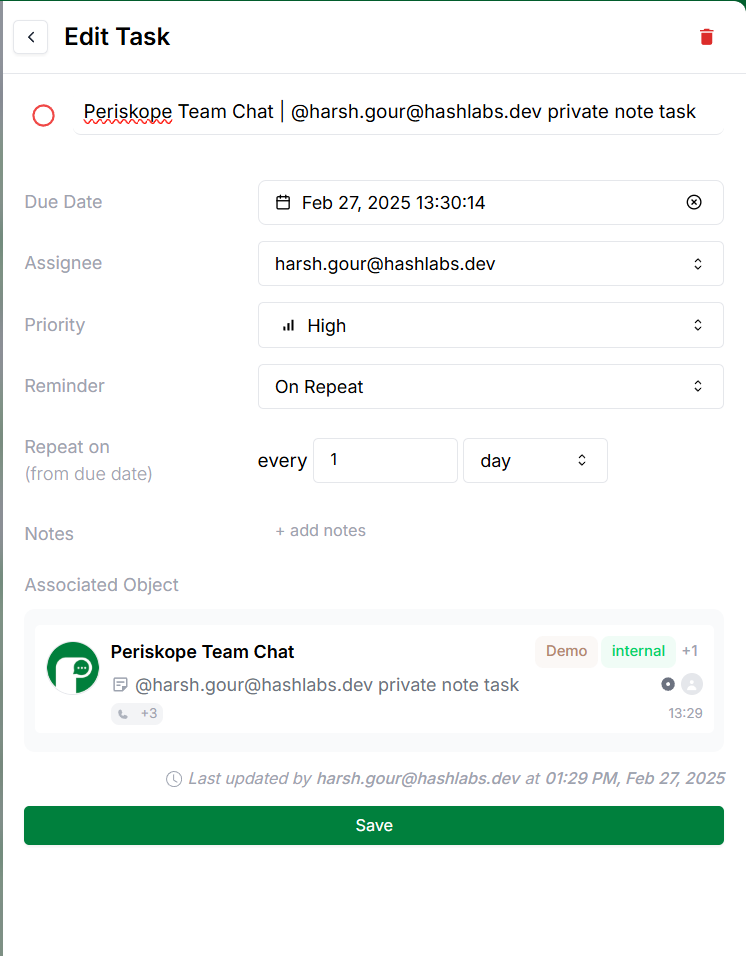
<Frame caption="Setup repeat reminder">
  <img src="https://mintcdn.com/bharatkumarramesh/ojqTTF6tJm2hqshH/tasks-and-reminders/tasks/repeat-reminder.png?fit=max&auto=format&n=ojqTTF6tJm2hqshH&q=85&s=0a6ea4e4989f42e22bfc858e6a24b4f6" alt="create-message-task" width="50%" className="block border rounded-xl shadow" data-path="tasks-and-reminders/tasks/repeat-reminder.png" />
</Frame>

## Quick reminders

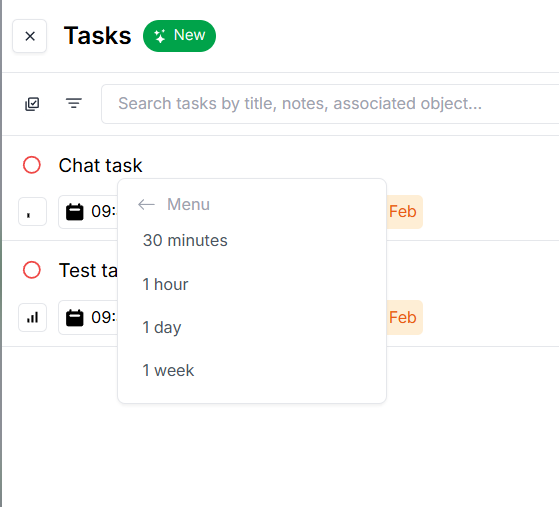
You can also add quick reminders by right-clicking on a task and selecting the reminder option.
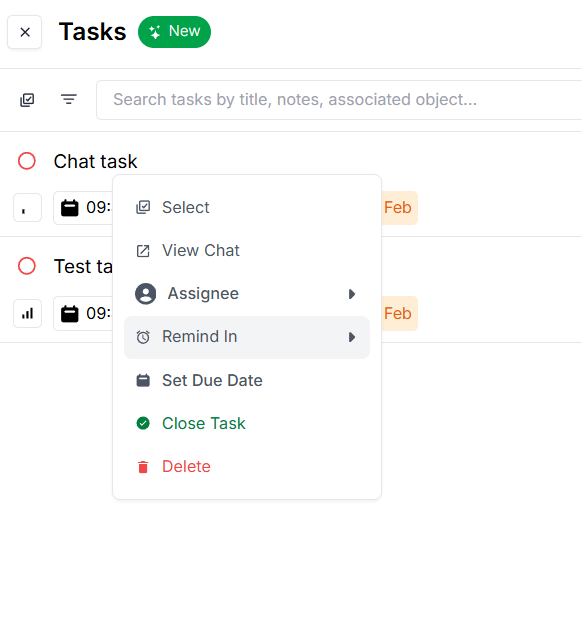
<Frame caption="Quick reminder option">
  <img src="https://mintcdn.com/bharatkumarramesh/ojqTTF6tJm2hqshH/tasks-and-reminders/tasks/quick-remind-option.png?fit=max&auto=format&n=ojqTTF6tJm2hqshH&q=85&s=5820bcdee29303424ef8ca96f2364a3a" alt="create-message-task" width="50%" className="block border rounded-xl shadow" data-path="tasks-and-reminders/tasks/quick-remind-option.png" />
</Frame>

<br />

<Frame caption="Quick reminder">
  <img src="https://mintcdn.com/bharatkumarramesh/ojqTTF6tJm2hqshH/tasks-and-reminders/tasks/quick-reminder.png?fit=max&auto=format&n=ojqTTF6tJm2hqshH&q=85&s=6cff526962e1da2172e3997893ee2f57" alt="create-message-task" width="50%" className="block border rounded-xl shadow" data-path="tasks-and-reminders/tasks/quick-reminder.png" />
</Frame>

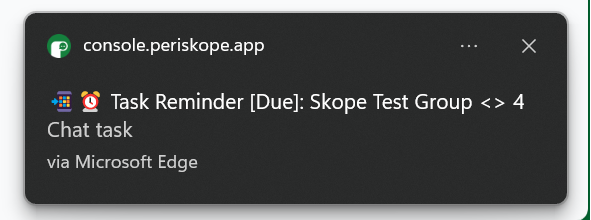
## Reminder notifications

You will receive reminder notifications when the reminder is due.
<Frame>
  <img src="https://mintcdn.com/bharatkumarramesh/ojqTTF6tJm2hqshH/tasks-and-reminders/tasks/task-reminder.png?fit=max&auto=format&n=ojqTTF6tJm2hqshH&q=85&s=00aa16e480a5111fe5bc18bc8dd807f1" alt="task-filters" width="75%" className="block border rounded-xl shadow" data-path="tasks-and-reminders/tasks/task-reminder.png" />
</Frame>