> ## Documentation Index
> Fetch the complete documentation index at: https://docs.periskope.app/llms.txt
> Use this file to discover all available pages before exploring further.
# Private Notes
> When a customer conversation needs another teammate's attention, Private Notes let you leave internal messages directly inside a chat — visible only to your team, never to the customer.
***
## Creating a Private Note
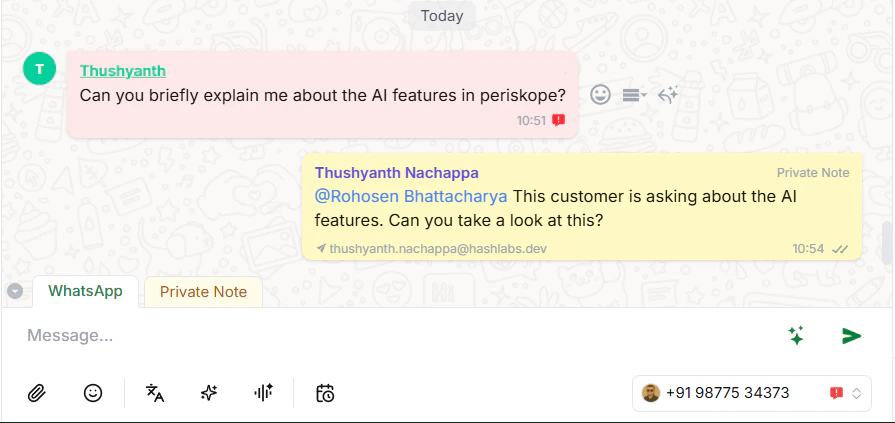
Open any chat. At the bottom, you'll see two tabs — **WhatsApp** and **Private Note**. Click **Private Note**.
> **Note:** Anything you send in Private Note mode is only visible to your team — not the customer.
***
## Adding Context
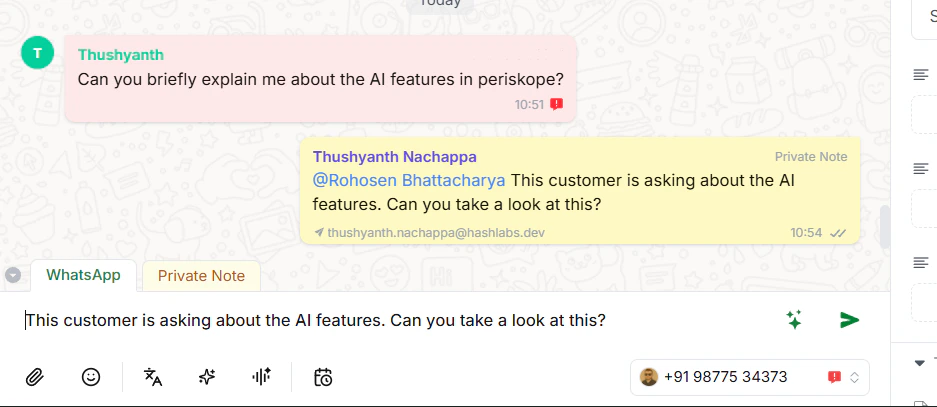
Before tagging someone, add context so your teammate knows exactly what's going on without reading the entire conversation.
For example:
```text theme={null}
This customer is asking about the AI features of Periskope. Can you take a look at this?
```
***
## Tagging a Teammate
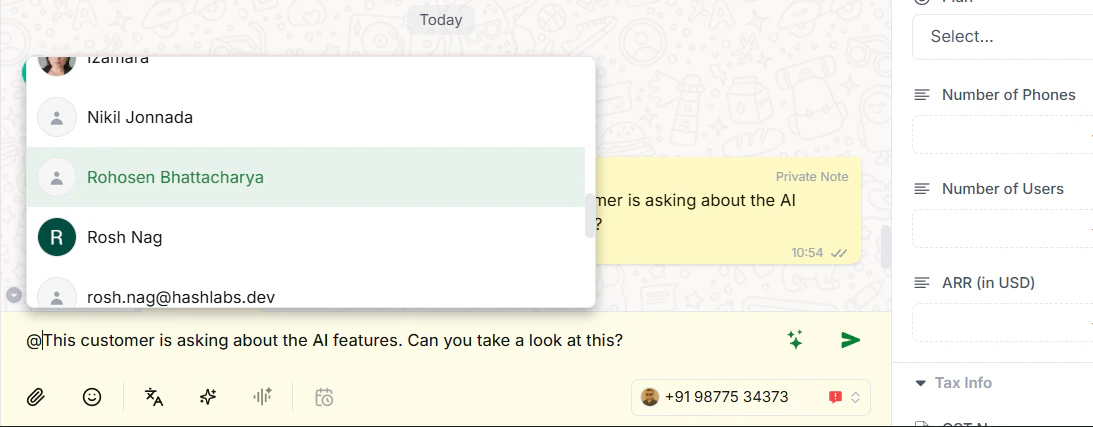
Type `@` followed by their name to tag them. For example:
```text theme={null}
@Rohosen, this customer is asking about the AI features. Can you take a look at this?
```
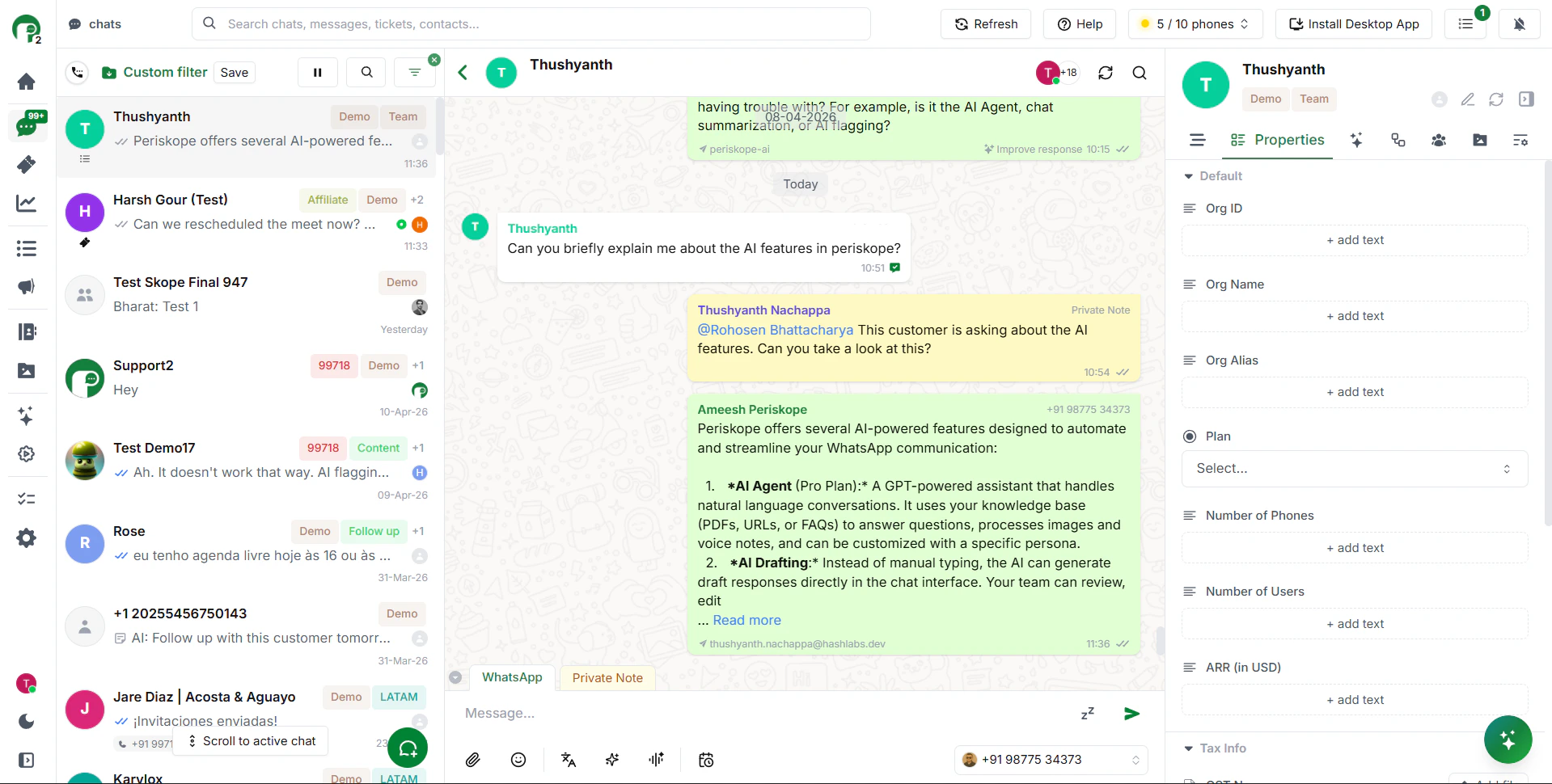
Once sent, the note appears inside the chat — your team can see it, the customer never will.
***
## Why This Works
Your teammate gets tagged, opens the chat, reads the conversation and your note, and takes over straight away — no Slack, no email, no lost context. Everything stays in one place.
***
 > **Note:** Anything you send in Private Note mode is only visible to your team — not the customer.
***
## Adding Context
Before tagging someone, add context so your teammate knows exactly what's going on without reading the entire conversation.
For example:
```text theme={null}
This customer is asking about the AI features of Periskope. Can you take a look at this?
```
> **Note:** Anything you send in Private Note mode is only visible to your team — not the customer.
***
## Adding Context
Before tagging someone, add context so your teammate knows exactly what's going on without reading the entire conversation.
For example:
```text theme={null}
This customer is asking about the AI features of Periskope. Can you take a look at this?
```
 ***
## Tagging a Teammate
Type `@` followed by their name to tag them. For example:
```text theme={null}
@Rohosen, this customer is asking about the AI features. Can you take a look at this?
```
***
## Tagging a Teammate
Type `@` followed by their name to tag them. For example:
```text theme={null}
@Rohosen, this customer is asking about the AI features. Can you take a look at this?
```
 Once sent, the note appears inside the chat — your team can see it, the customer never will.
 ***
## Why This Works
Your teammate gets tagged, opens the chat, reads the conversation and your note, and takes over straight away — no Slack, no email, no lost context. Everything stays in one place.
***
***
## Why This Works
Your teammate gets tagged, opens the chat, reads the conversation and your note, and takes over straight away — no Slack, no email, no lost context. Everything stays in one place.
***