> ## Documentation Index
> Fetch the complete documentation index at: https://docs.periskope.app/llms.txt
> Use this file to discover all available pages before exploring further.
# Multi-Number Inbox
> Connect and manage multiple WhatsApp numbers from a single dashboard
## Overview
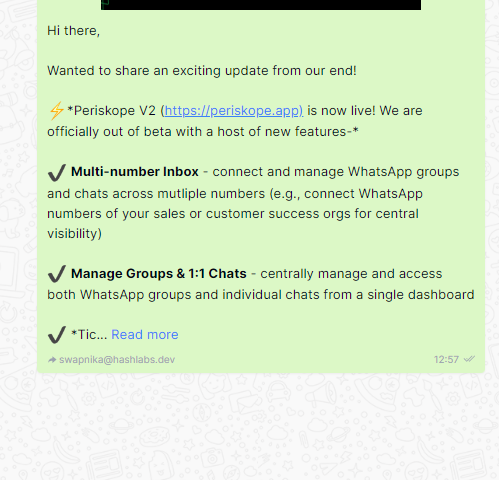
Multi-number inbox allows you to connect and manage multiple WhatsApp numbers from your Periskope account. This is most valuable for sales, customer service, logistics and other verticals where managers may need better visibility into the WhatsApp activity of their teams
## Connecting multiple phones
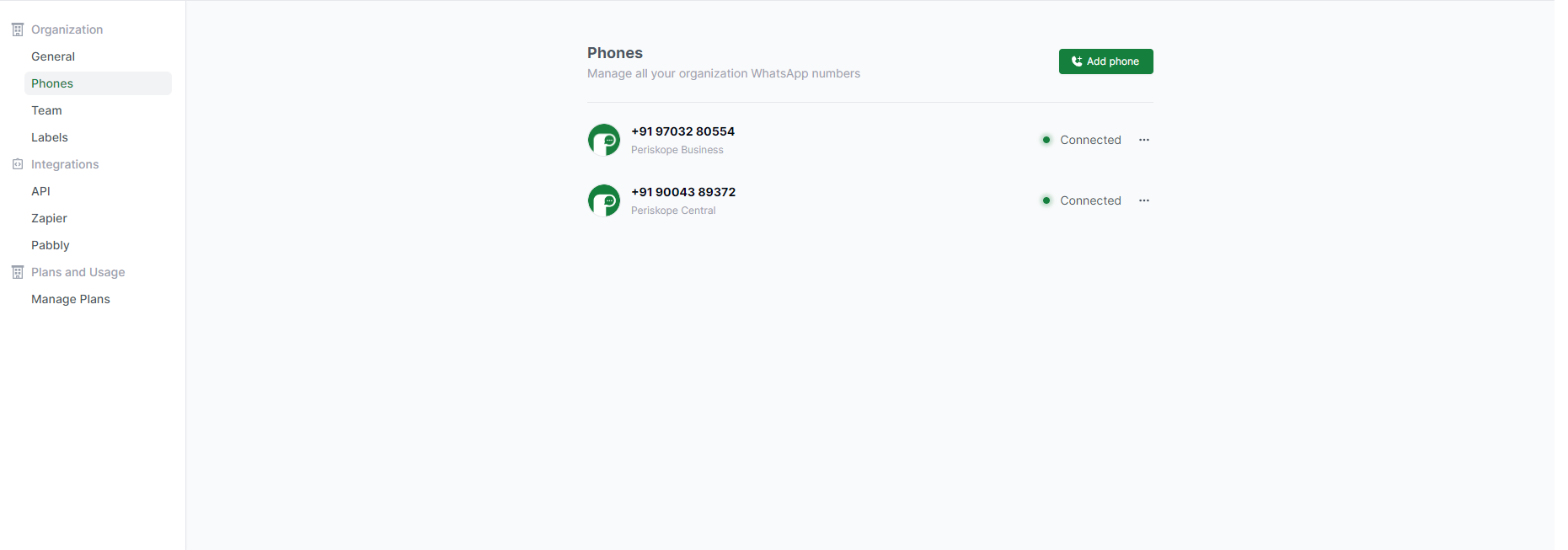
Admins can connect multiple phones from settings > phones. Please note that while one phone is included in each base plan, each additional phone instance incurs a seperate charge.
## Viewing chats across connected phones
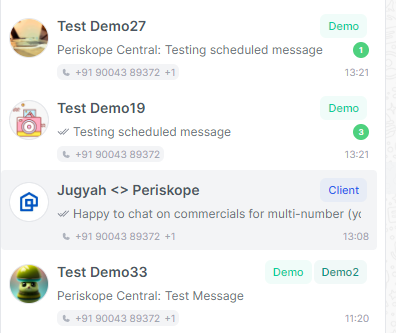
WhatsApp chats and groups across all connected numbers will be visible in the chats screen. The organization phone that is part of each chat/group is visible below the chat summary on the left. In case multiple phones are present in a chat, both the phone numbers will be visible.
## Replying to chats across connected phones
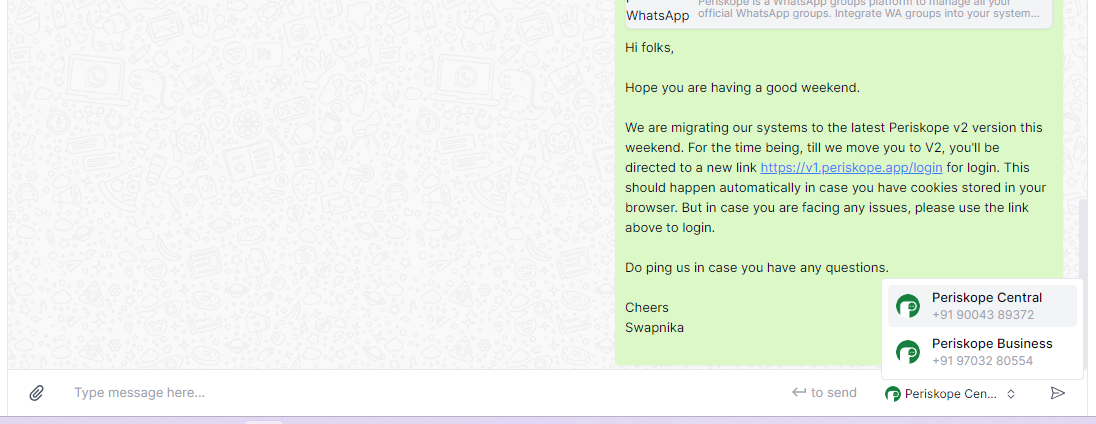
When replying to any chat, the connected org number is shown in the reply box. In case multiple org numbers are part of a chat, a user can choose the number they reply from using the dropdown at the bottom right.
## Identifying who replies from Periskope
The email id of the person replying is shown below every message on Periskope. This allows you to identify who within Periskope has replied to a message (while on WhatsApp it will simply be a message from the respective org number)
 ## Viewing chats across connected phones
WhatsApp chats and groups across all connected numbers will be visible in the chats screen. The organization phone that is part of each chat/group is visible below the chat summary on the left. In case multiple phones are present in a chat, both the phone numbers will be visible.
## Viewing chats across connected phones
WhatsApp chats and groups across all connected numbers will be visible in the chats screen. The organization phone that is part of each chat/group is visible below the chat summary on the left. In case multiple phones are present in a chat, both the phone numbers will be visible.
 ## Replying to chats across connected phones
When replying to any chat, the connected org number is shown in the reply box. In case multiple org numbers are part of a chat, a user can choose the number they reply from using the dropdown at the bottom right.
## Replying to chats across connected phones
When replying to any chat, the connected org number is shown in the reply box. In case multiple org numbers are part of a chat, a user can choose the number they reply from using the dropdown at the bottom right.
 ## Identifying who replies from Periskope
The email id of the person replying is shown below every message on Periskope. This allows you to identify who within Periskope has replied to a message (while on WhatsApp it will simply be a message from the respective org number)
## Identifying who replies from Periskope
The email id of the person replying is shown below every message on Periskope. This allows you to identify who within Periskope has replied to a message (while on WhatsApp it will simply be a message from the respective org number)