> ## Documentation Index
> Fetch the complete documentation index at: https://docs.periskope.app/llms.txt
> Use this file to discover all available pages before exploring further.
# Message Flagging
> Flag important messages using AI and stay on top of your customer requests
## Overview
Periskope's AI flagging feature automatically identifies and highlights important customer messages, helping you prioritize and respond to critical communications. This intelligent system analyzes message content in real-time.
## AI Flagged Messages
Periskope uses AI to automatically identify and flag important messages in your chats, giving you visibility into critical customer requests and issues.
### How AI Flagging Works
The AI system analyzes incoming messages in real-time and flags those that match certain criteria, such as:
* Urgent requests
* Complaints or dissatisfaction
* Product inquiries
* Service requests
* Payment-related questions
* And other important customer communications
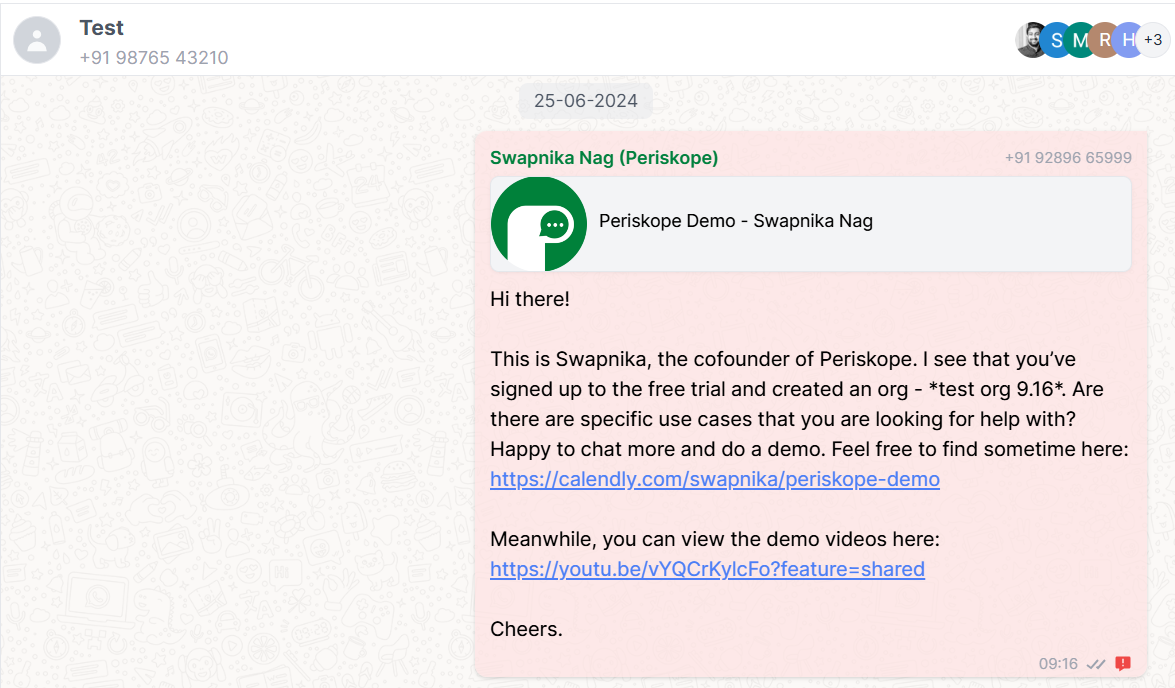
Flagged messages are highlighted in your chat interface and can be filtered for quick access and review.
 ### Customizing AI Flagging Prompt
You can customize the AI flagging system to match your specific business needs:
1. Navigate to **Settings** in the left sidebar
2. Select **Config**
3. Click on **AI Flagging Prompt**
### Customizing AI Flagging Prompt
You can customize the AI flagging system to match your specific business needs:
1. Navigate to **Settings** in the left sidebar
2. Select **Config**
3. Click on **AI Flagging Prompt**
 4. Modify the prompt to focus on specific types of messages that are important for your business
5. Save your changes
4. Modify the prompt to focus on specific types of messages that are important for your business
5. Save your changes
 ### Viewing Flagged Messages
Flagged messages are visually highlighted in your chat interface with a special indicator. You can also:
1. Filter your chats to show only conversations with flagged messages
2. Assign flagged messages to specific team members for follow-up
### Viewing Flagged Messages
Flagged messages are visually highlighted in your chat interface with a special indicator. You can also:
1. Filter your chats to show only conversations with flagged messages
2. Assign flagged messages to specific team members for follow-up