> ## Documentation Index
> Fetch the complete documentation index at: https://docs.periskope.app/llms.txt
> Use this file to discover all available pages before exploring further.
# AI Summaries and Responses
> Guide to generate chat summaries and craft contextual responses with Periskope AI
## Overview
Managing WhatsApp conversations can be overwhelming—long chats, missed queries, and the constant need to draft responses slow you down.
AI Summaries & Responses by Periskope AI solve this by instantly summarizing key messages and suggesting replies, helping you stay on top of conversations without the manual effort.
## How to summarize chats with Periskope AI
* Open any chat in Periskope.
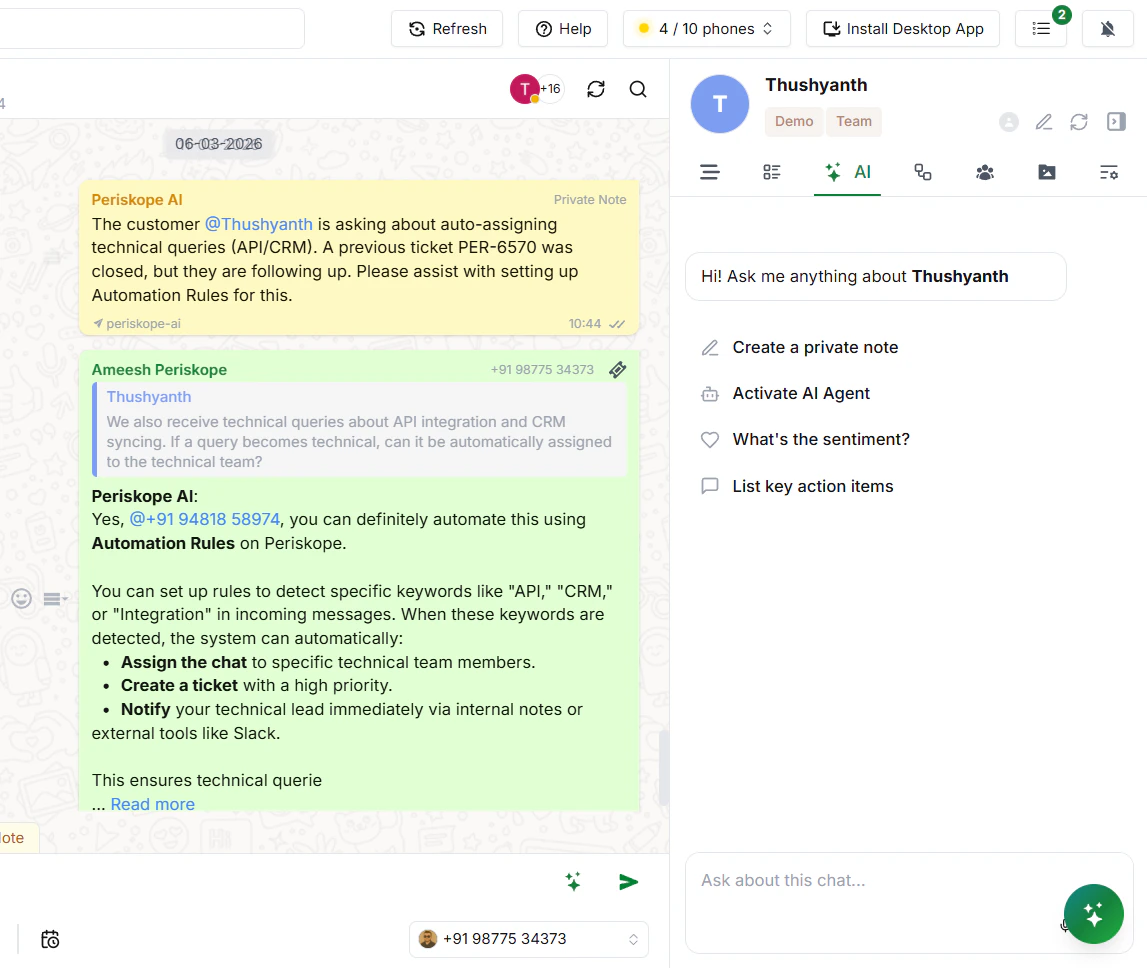
* On the right-hand side, click on the **AI** tab (you'll see tabs like Overview, Properties, AI, etc.).
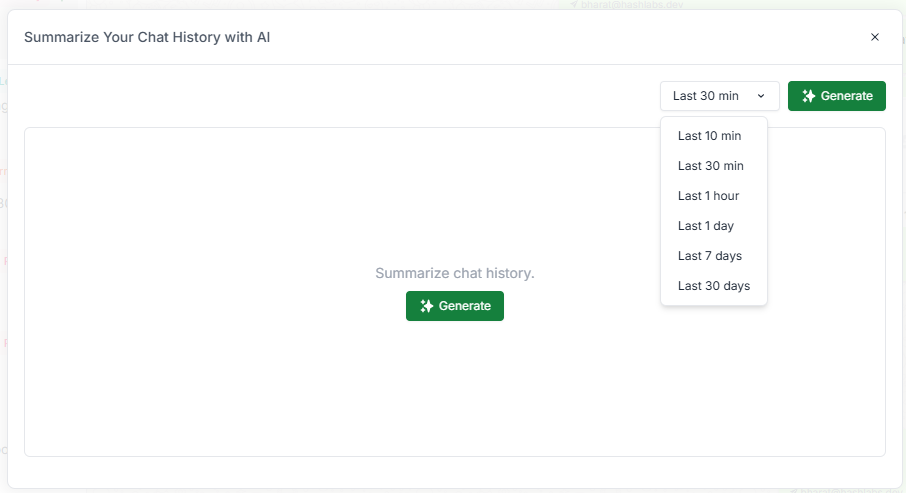
* In the text box, type your prompt — for example: *"Give me a summary of this chat from the last 7 days."*
* The AI will instantly generate a summary for you.
## How to craft responses with Periskope AI
Open any WhatsApp chat. On the right side panel, you'll see an AI section with a text field at the bottom. Simply type what you want the AI to do — it will understand the context of the conversation and craft a response for you.
 ## How to craft responses with Periskope AI
Open any WhatsApp chat. On the right side panel, you'll see an AI section with a text field at the bottom. Simply type what you want the AI to do — it will understand the context of the conversation and craft a response for you.
## How to craft responses with Periskope AI
Open any WhatsApp chat. On the right side panel, you'll see an AI section with a text field at the bottom. Simply type what you want the AI to do — it will understand the context of the conversation and craft a response for you.